Google AI Max for Search: Impact on Your Campaigns
AI Max reaches queries your keyword list never could. Here's why that matters now, whatcan go wrong, and how to configure it properly before you enable it.
Google has been pushing AI Max since late 2024, and by now most Search campaigns have a prompt in the recommendations tab urging you to enable it. The framing is always positive more reach, better performance, let the AI do more. That framing isn't wrong. But it's incomplete.
AI Max isn't a button you push and walk away from. Enabled without the right controls, it can generate ad copy that contradicts your brand, send users to irrelevant pages, and serve ads on queries you'd never have approved. Enabled properly with guardrails, monitoring, and a clear view of what you're testing it's one of the more interesting changes to Search in years.
What AI Max actually does
AI Max bundles three capabilities into one toggle:
- Text customisation. Google's AI pulls copy from your website, landing pages, and existing ads to generate additional headline and description combinations dynamically matched to each search query.
The risks if you don't configure it properlyFinal URL expansion is the most consequential setting. Without URL exclusions, Google willsend traffic to any page it judges as relevant which can include your blog, your deliveryinformation page, your returns policy, or (in multi-region accounts) pages denominated in thewrong currency. A user clicking a paid ad and landing on your returns policy isn't aconversion problem; it's a configuration problem.Text customisation without brand guidelines carries a similar risk. If you've invested in brandpositioning a specific tone, specific claims you make or avoid, specific language aroundpricing leaving the AI to generate copy freely from your site introduces inconsistency. The AIis optimising for click-through rate, not brand coherence.It doesn't replace your RSA assets; it adds to them.
- Final URL expansion. Instead of sending every click to your specified destination URL, Google sends traffic to whichever page on your site is most likely to result in a conversion for that specific query. This is the setting with the highest upside and the highest downside entirely depending on how well your URL exclusions are configured.
- Keyword expansion. AI Max serves your ads on queries that go beyond your keyword list, using your landing pages and website content as relevance signals. This is where the long-tail opportunity lives.
Why the long-tail argument is worth taking seriously
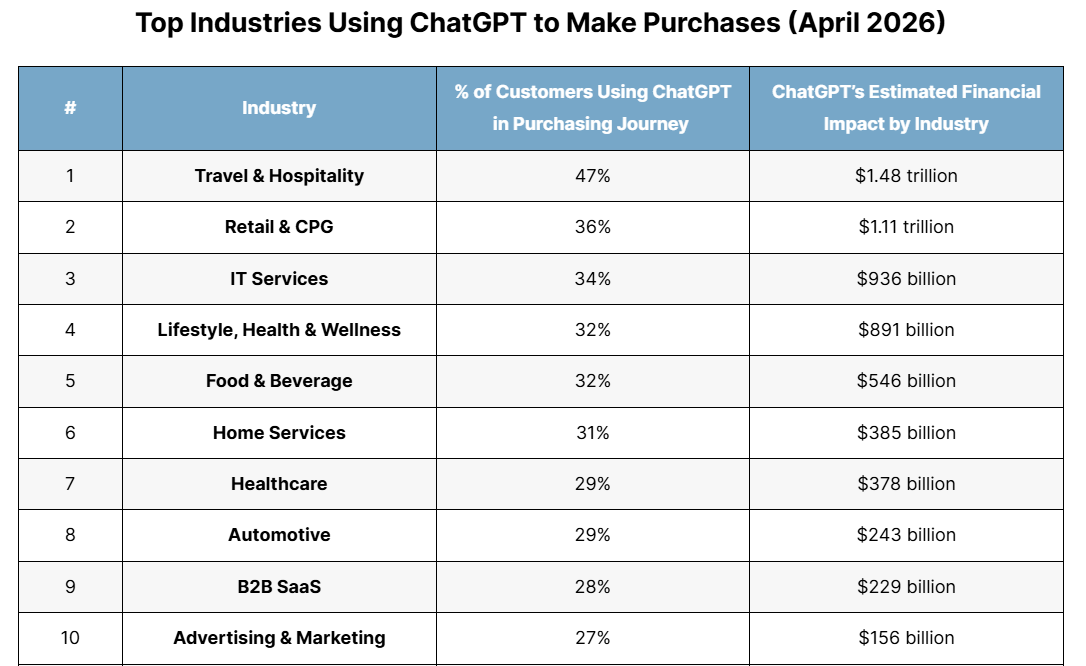
Search behaviour is changing. Users who regularly interact with AI tools ChatGPT, Gemini,
Perplexity are carrying that query style into Google. Searches are getting longer, more specific, and more intent-rich. "Running shoes" becomes "best trail running shoes for wide feet under £100". "CRM software" becomes "CRM for small e-commerce businesses that integrates with Shopify".
Your keyword list however well-structured wasn't built for these queries. It was built for the search patterns of two or three years ago. AI Max is specifically designed to catch this long-tail, conversational traffic that standard keyword matching misses almost entirely.
These queries also tend to be lower competition. Fewer advertisers bid on highly specific long-tail terms, which means lower CPCs and, often, higher purchase intent. For DTC brands running tight margin stacks, that's a meaningful combination.
The risks if you don't configure it properly
Final URL expansion is the most consequential setting. Without URL exclusions, Google will send traffic to any page it judges as relevant which can include your blog, your delivery information page, your returns policy, or (in multi-region accounts) pages denominated in the wrong currency. A user clicking a paid ad and landing on your returns policy isn't a conversion problem; it's a configuration problem.
Text customisation without brand guidelines carries a similar risk. If you've invested in brand positioning a specific tone, specific claims you make or avoid, specific language around pricing leaving the AI to generate copy freely from your site introduces inconsistency. The AI is optimising for click-through rate, not brand coherence.
The controls to put in place before you enable it
URL exclusions
These work identically to Dynamic Search Ad exclusions. Add any page that is non-commercial or irrelevant to the campaign's goal: blogs, news articles, delivery information, FAQ pages, careers, terms and conditions. If you're running a UK campaign on a site that also has US pricing pages, exclude those URLs explicitly otherwise AI Max may serve UK users ads that land on US-dollar product pages.
Once URL expansion is live, navigate to Insights and reports > Landing pages to review all
automatically selected pages. Any page you wouldn't want serving ads on, add to your URL
exclusions list immediately.
Brand guidelines term exclusions
In the brand guidelines section, add terms you'd never want appearing in generated ad copy:
"cheap", "free" (if you don't offer it), "fake", "discount" (if you're not a discount brand), competitor names. This is your primary brand safety lever within AI Max. Note that term exclusions are currently supported for English-language campaigns only.
Brand guidelines messaging restrictions
Use the messaging restrictions fields to guide the AI on tone and claims. If your brand never implies urgency, say so. If your products require specific compliance language around discounts or guarantees, add it here. Each field accepts up to 300 characters use them.
How to monitor what AI Max is doing
Two reports are essential once AI Max is live:
- Search terms report with Source column. Navigate to Insights and reports > Search terms and add the Source column. This shows whether each search term was matched by your standard keywords, AI Max expanded matches, or AI Max landing page matches so you can see exactly what the long-tail expansion is catching, and whether it's relevant.
- Keywords view AI Max performance rows. Go to All Campaigns > Audiences, keywords and content > Keywords. In the totals section, you'll find AI Max expanded matches and AI Max landing page matches broken out as separate rows. Compare their CPA and conversion rate against your standard keyword rows. That data is your test result.
When to enable it, and when to wait
- Enable AI Max if: your account has strong conversion tracking (30+ conversions per month per campaign), your site has clearly commercial URLs that are well-structured, and you have capacity to monitor it properly in the first two to four weeks.
- Wait if: your conversion data is thin, your site has a complex URL structure you haven't audited against the exclusion list, or your brand guidelines are undocumented. The test won't give you clean signals without a solid foundation and a poorly set up AI Max test is harder to interpret than no test at all.
What to do this week
1. Open one of your top non-brand Search campaigns. Check whether AI Max is already enabled the toggle is in Campaign settings under "Optimise your campaign with AI Max".
2. If it's enabled, check your URL exclusions immediately. If there are none, add them before reviewing any performance data.
3. Add the Source column to your Search Terms report now whether AI Max is on or off. It's useful baseline data either way.
4. Draft your term exclusions and messaging restrictions before enabling. Ten minutes of brand guardrail work prevents months of copy inconsistency.
FAQ
Does AI Max work the same way in Shopping and Performance Max campaigns?
AI Max as described here applies specifically to Search campaigns. Performance Max has its own AI-driven URL expansion and asset generation logic, which operates separately and is managed through asset group settings not the AI Max toggle.
Can I run AI Max on some campaigns and not others?
Yes. AI Max is configured at campaign level. A sensible approach is to enable it on one or two non-brand campaigns with strong conversion data, monitor for four weeks, then decide whether to expand based on the AI Max-specific rows in the keywords view. Don't roll it out account-wide before you've seen how it performs in your specific setup.




23.png)